Screen Recorder Master1.01
Publisher Description
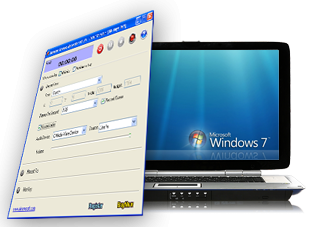
Screen recorder master is a simple and handy screen recording program and tutorial and presentation creation software for creating attractive screencasts. The screen capturing software can grab and record every screen and audio activity on your screen.
Functions of screen recorder master:
1. Record any activities including full screen capture, window video capture, region capture, cursor movements, and menu selections
2.. Record microphone, line-in, or speaker sounds.
3. Capture and record streaming video in AVI or WMV format.
4. All the output video settings and audio settings can be configured.
5. Supports customizable start/pause/stop hotkeys.
6. Allow you to run the screen capture software backstage and leave your desktop free for other work.
7. Output to AVI file. You have the full control over the codec of the AVI file. You can choose the video compressor, and its compression quality. Supports DivX, XviD.
The useful screen recorder software can help you:
1. Make professional presentations to introduce your products.
2. Create interactive training video material.
3. Create simulations and tutorial demo videos for any software.
4. Record the sequence of steps that cause the occurrence of bugs in faulty software.
5. Track the progress of a program that executes for a long time.
6. Create your own movies of any kinds of desktop activities.
7. Show problems that are difficult to describe with words.
System Requirements
Microsoft DirectX 8.1 or later runtime
Microsoft Windows 98/ME/2000/XP/2003/ Windows Vista/ Windows 7
About Screen Recorder Master
This Multimedia Creation Tools program is available in English. It was last updated on 29 September, 2026. Screen Recorder Master is compatible with the following operating systems: Windows.
The company that develops Screen Recorder Master is Repair Video Inc. The latest version released by its developer is 1.01. This version was rated by 14 users of our site and has an average rating of 3.0.
The download we have available for Screen Recorder Master has a file size of 1.0 MB. Just click the green Download button above to start the downloading process. The program is listed on our website since 2012-05-09 and was downloaded 5,117 times. We have already checked if the download link is safe, however for your own protection we recommend that you scan the downloaded software with your antivirus. Your antivirus may detect the Screen Recorder Master as malware if the download link is broken.
How to install Screen Recorder Master on your Windows device:
- Click on the Download button on our website. This will start the download from the website of the developer.
- Once the Screen Recorder Master is downloaded click on it to start the setup process (assuming you are on a desktop computer).
- When the installation is finished you should be able to see and run the program.
Program Details
System requirements
Download information
Pricing
Version History
version 1.01
posted on 2012-05-09
1. Screen Recorder 1.21 is updated to Screen Recorder Master.
2. Fix some bugs; the recorded video quality is much better.
